The Hidden Cost of 'Cheap' Traffic: How to Audit Your CPC and CPM Before You Waste $1,000
The Hidden Cost of 'Cheap' Traffic: How to Audit Your CPC and CPM Before You Waste $1,000
Step into any digital marketing forum, and you will see media buyers and e-commerce store owners bragging about the exact same thing:
“I’m running a campaign right now and hitting a $0.05 CPC! The traffic is incredibly cheap!”
It sounds like an absolute goldmine. If you can buy clicks for pennies, it feels like only a matter of time before those clicks turn into a flood of sales, leads, and revenue.
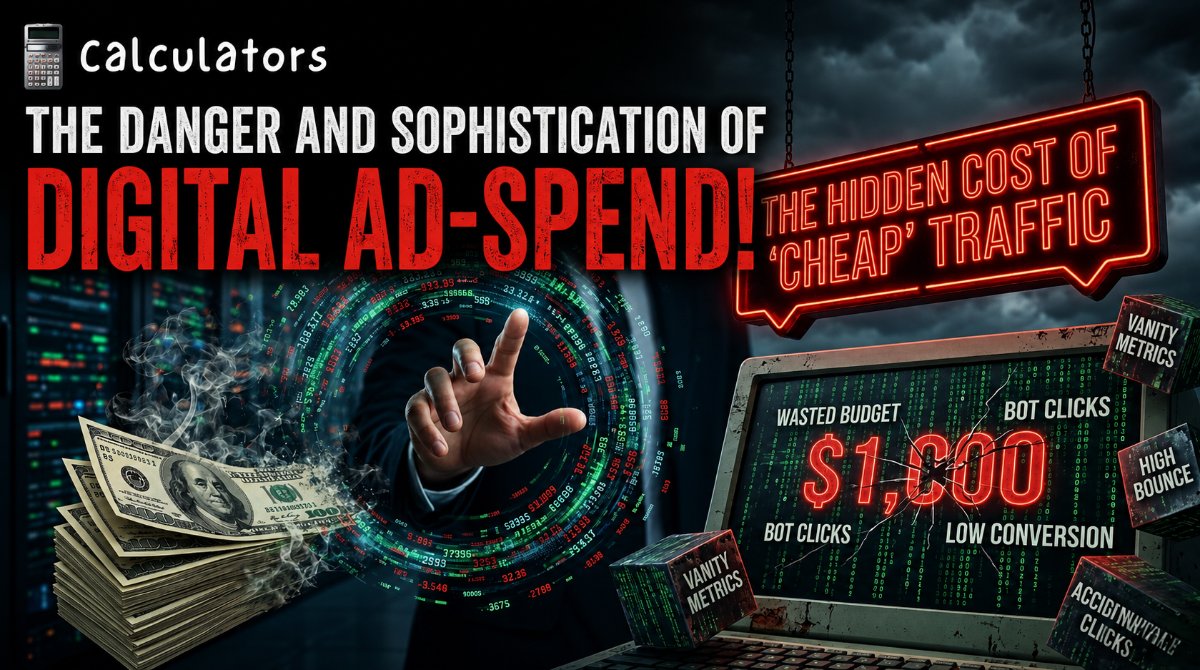
But if you have actually tried running those campaigns yourself, you know the brutal reality that follows. You check your analytics dashboard a few days later, realize you just burned through a $1,000 ad budget, and look at a grand total of zero conversions.
In digital advertising, cheap traffic is often the most expensive mistake you can make.
When you optimize your ad campaigns based on vanity metrics like raw click volume or rock-bottom impression costs, you fall into a systematic trap set by ad platforms. Let’s look at the hidden mechanics of ad pricing, audit the real relationship between CPC and CPM, and ensure you never waste another dollar on low-quality traffic.
The Vanity Metric Trap: Why All Clicks Are Not Created Equal
To understand why cheap traffic ruins budgets, you have to look at how ad algorithms (like Meta, Google, or TikTok) operate. These platforms are incredibly efficient at giving you exactly what you ask for.
If you set up a campaign and choose "Traffic" or "Clicks" as your primary optimization goal, the algorithm instantly scans its user base for the people most likely to click on a link.
The catch? The platform's "frequent clickers" are often the lowest-value users on the internet. They include:
Accidental fat-finger clicks on mobile apps.
Bots and click-farms masking as real engagement.
People who habitually click on everything but have a historic conversion rate of zero percent.
Because these users are incredibly easy to satisfy, the platform rewards you with a deceptively low CPC (Cost Per Click). But while your dashboard looks great, your website's bounce rate skyrockets because those visitors leave within a single second of landing on your page.
Deconstructing the Math: CPC vs. CPM
To protect your budget, you must master the relationship between your CPM (Cost Per Mille / Cost Per 1,000 Impressions) and your CPC. These two metrics are inextricably linked by your CTR (Click-Through Rate).
The structural formula that dictates your ad costs looks like this:
$$\text{CPC} = \frac{\text{CPM}}{10 \times \text{CTR}}$$
If an ad platform charges you a very high CPM of $30 because you are targeting high-intent, wealthy buyers, it feels expensive. However, if your ad creative is highly relevant and hits a 3% CTR, your adjusted CPC drops to $1.00.
Conversely, if you chase a "cheap" $5 CPM by targeting a completely broad, unverified audience, but your irrelevant ad only pulls a 0.2% CTR, your adjusted CPC jumps to $2.50. You paid less for the eye-balls, but ended up paying vastly more for the actual visitor.
The Downstream Audit: Tracking Your RPC
The only metric that truly determines whether an ad campaign is successful is your Return on Ad Spend (ROAS), which is driven by your RPC (Revenue Per Click).
Let’s look at the brutal mathematical breakdown of two different ad campaigns to see how "expensive" traffic consistently beats "cheap" traffic in the real world:
Metric | Campaign A: "The Cheap Trap" | Campaign B: "The Quality Focus" |
|---|---|---|
Total Ad Budget | $1,000 | $1,000 |
Average CPC | $0.10 (Looks Amazing) | $1.50 (Looks Expensive) |
Total Clicks Delivered | 10,000 | 666 |
On-Site Conversion Rate | 0.05% (Low Quality Traffic) | 4.0% (High-Intent Buyers) |
Total Sales/Conversions | 5 | 26 |
Average Order Value (AOV) | $50 | $50 |
Total Revenue Generated | $250 | $1,300 |
Net Campaign Return | -$750 (Loss) | +$300 (Profit) |
🎯 Stop Burning Your Ad Budget on Guesswork
Do not let complex media buying dashboards cloud your judgment. If you cannot map the exact bridge between your impression costs, click rates, and final conversions, you are gambling—not marketing.
Use our free, interactive CPC Calculator and CPM Calculator to instantly reverse-engineer your campaign metrics, track your true acquisition costs, and protect your marketing capital before you launch your next ad set.
Look at the final rows of that table. Campaign A delivered ten times more traffic to the website than Campaign B. Yet, Campaign A lost $750 because the traffic quality was fundamentally hollow. Campaign B felt painful to run at a $1.50 CPC, but because it targeted high-intent users, it resulted in a profitable, self-sustaining business model.
The 3-Step Ad Audit Sequence
Before you scale any digital advertising campaign past a baseline testing budget, run through this rapid chronological audit to spot budget leaks:
Check the Landing Page View to Click Ratio: If your ad platform says you generated 1,000 clicks, but your website analytics only show 400 page views, you have a critical loading-speed issue or a massive wave of accidental bot clicks.
Benchmark Your CTR Against Industry Standards: A CTR below 1% on cold social media traffic generally means either your creative hook is weak, or your audience targeting is completely misaligned.
Calculate Your Break-Even CPC: Work backward from your product's profit margin and your store's average conversion rate to find the absolute maximum amount you can afford to pay for a click while remaining profitable. If your actual CPC rises above this ceiling, pause the creative immediately.
Stop letting cheap vanity metrics trick you into funding unproductive ad platforms. Focus on traffic purity, measure your true baseline costs, and protect your conversion funnel.
Reviews
Loading…